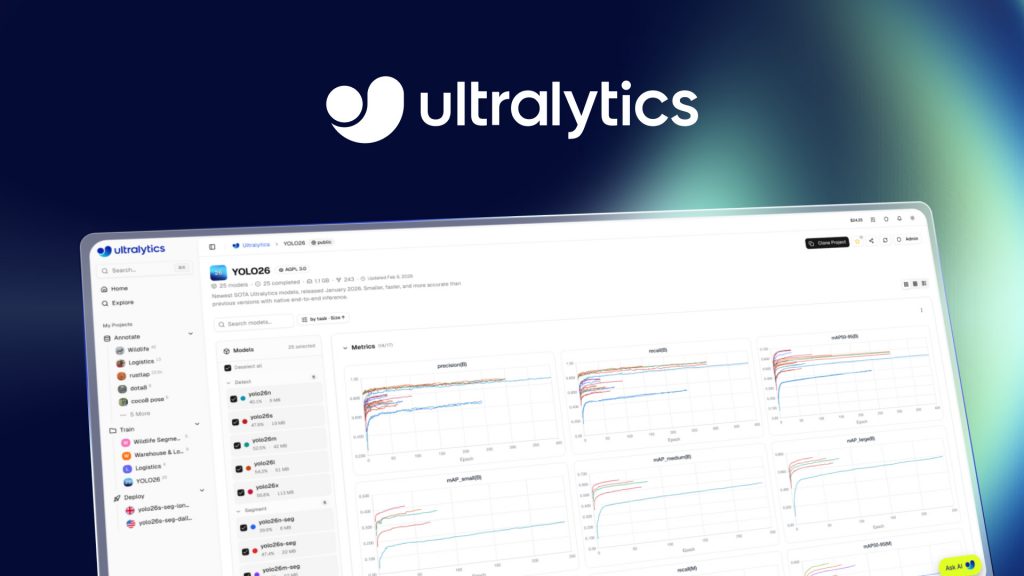
Annotate, Train and Deploy YOLO Models Without Writing a Single Line of Code Using Ultralytics Platform

Written by Henry Navarro
Introduction 🎯
Creating computer vision models used to be a nightmare. You would need one tool for data annotation, another for training, and completely different setups for deployment. And then you would realize you spent more time configuring environments than actually building models.
But that changes with the Ultralytics Platform , a tool that lets you build the entire computer vision pipeline without writing a single line of code.
In computer vision, there are three crucial steps for building a model: data annotation, training, and deployment. The Ultralytics Platform handles all three in one single interface. In this article, I will walk you through the complete workflow from uploading a dataset all the way to querying a deployed model via REST API.
Getting Started 🚀
Go to the Ultralytics Platform and click Get Started. Registration is straightforward and there are generous free credits available:
- Register with my referral link → $5 free credits
- Register with a company email → $25 free, no credit card required
Once you are in, you will see the platform dashboard where you can manage datasets, models, and deployments all from one place.
Step 1: Uploading and Annotating Your Dataset 📁
As I always say: better data is better than a better model. Data preparation is where most people give up in computer vision because it is time-consuming and tedious. The platform significantly reduces this friction.
Uploading Data
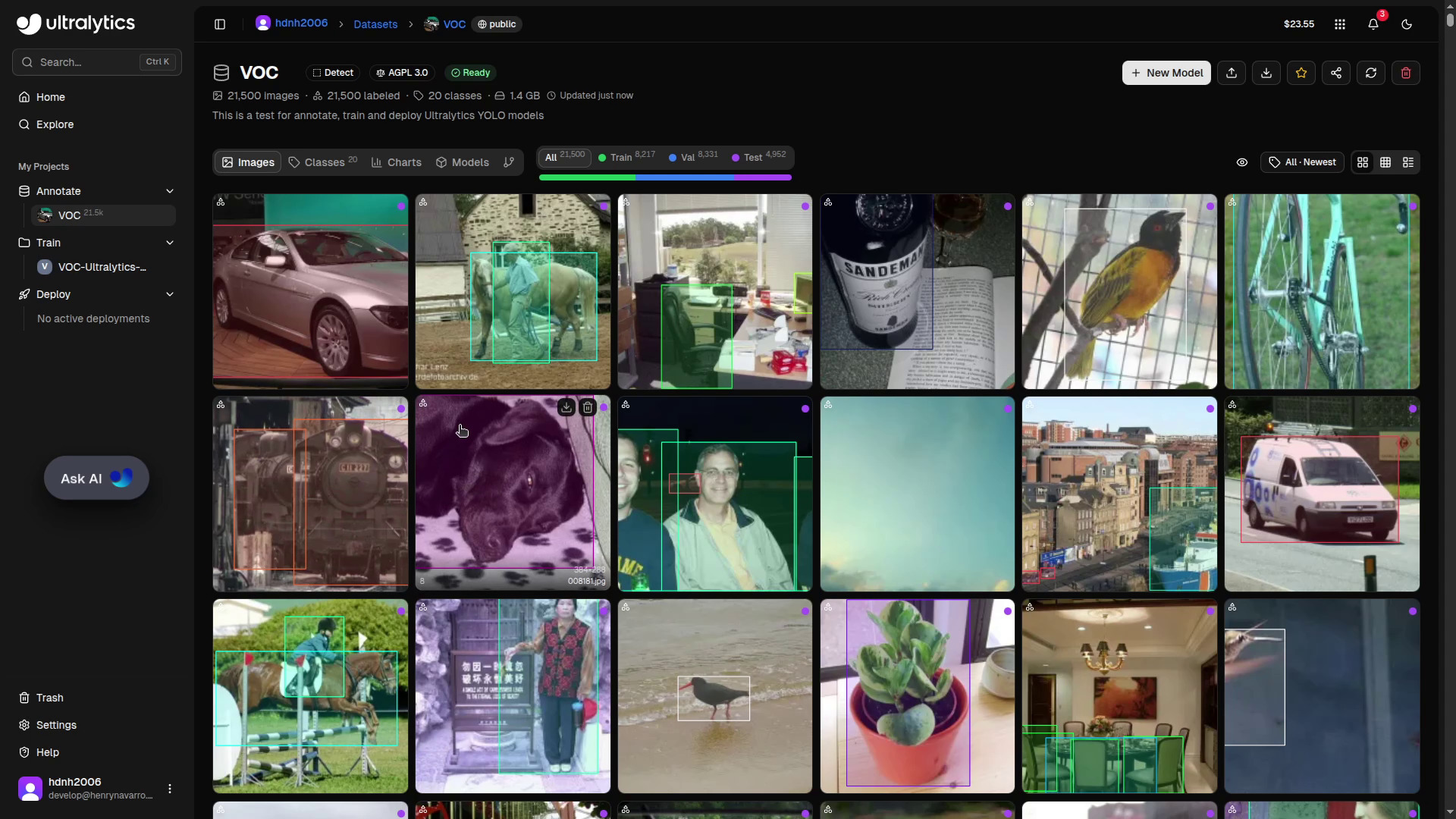
You can upload images, videos, or ZIP archives. The system automatically processes everything: it extracts frames from videos, validates formats, and organizes your dataset.
For this demo I am using the PASCAL VOC dataset, one of the most popular benchmarks in the object detection world. It covers 20 object categories and is widely used for training and evaluating detection models.
When creating a new dataset you will need to define:
- Task type: detection, segmentation, classification, pose estimation, or oriented bounding boxes (OBB)
- License: if you want to keep your models proprietary, you need the enterprise Ultralytics license. For open-source projects, AGPL is available. Choose carefully before uploading.
- Visibility: public or private
Reviewing and Fixing Annotations
Once uploaded, the platform lets you inspect class distribution, annotation counts per split (train/val/test), and image statistics such as width and height distributions. It is highly recommendable to review your annotations before training.
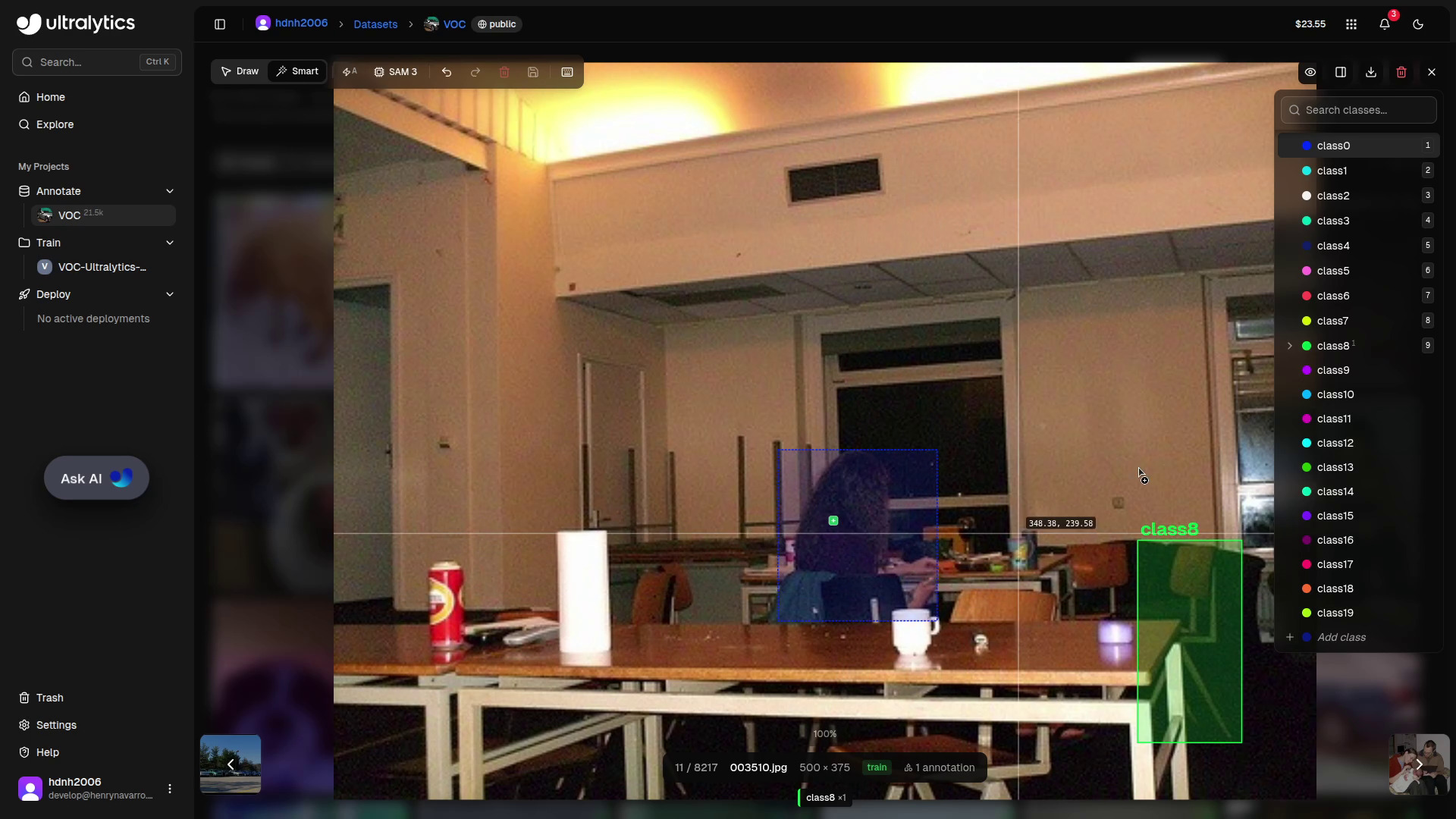
In my case, I found a couple of cars in one image that had not been annotated. Fixing it is as simple as selecting the class, clicking the corners of the object, and the bounding box is created. That is all.
Smart Annotation with SAM
One of my favourite features is Smart Annotation, powered by the Segment Anything Model (SAM) developed by Meta. Crucially, this model is self-hosted by Ultralytics, you are not sending your data to any external provider.
With Smart Annotation enabled, you just click on any object and it is instantly annotated. This is especially powerful for segmentation tasks, where SAM generates pixel-level masks with a single click.
Step 2: Training Your Model 🏋️
With a clean, well-annotated dataset, click New Model to start training.
Choose Your YOLO Version
The platform supports all current Ultralytics YOLO families:
| Model | Notes |
|---|---|
| YOLO v5 | Classic, battle-tested |
| YOLO v8 | Great balance of speed and accuracy |
| YOLO 11 | Improved architecture |
| YOLO 26 | Latest release, state-of-the-art |
I chose YOLO 26 Nano, the latest release for obvious reasons, and the Nano variant because it is the lightest model in the family, ideal for this kind of demo.
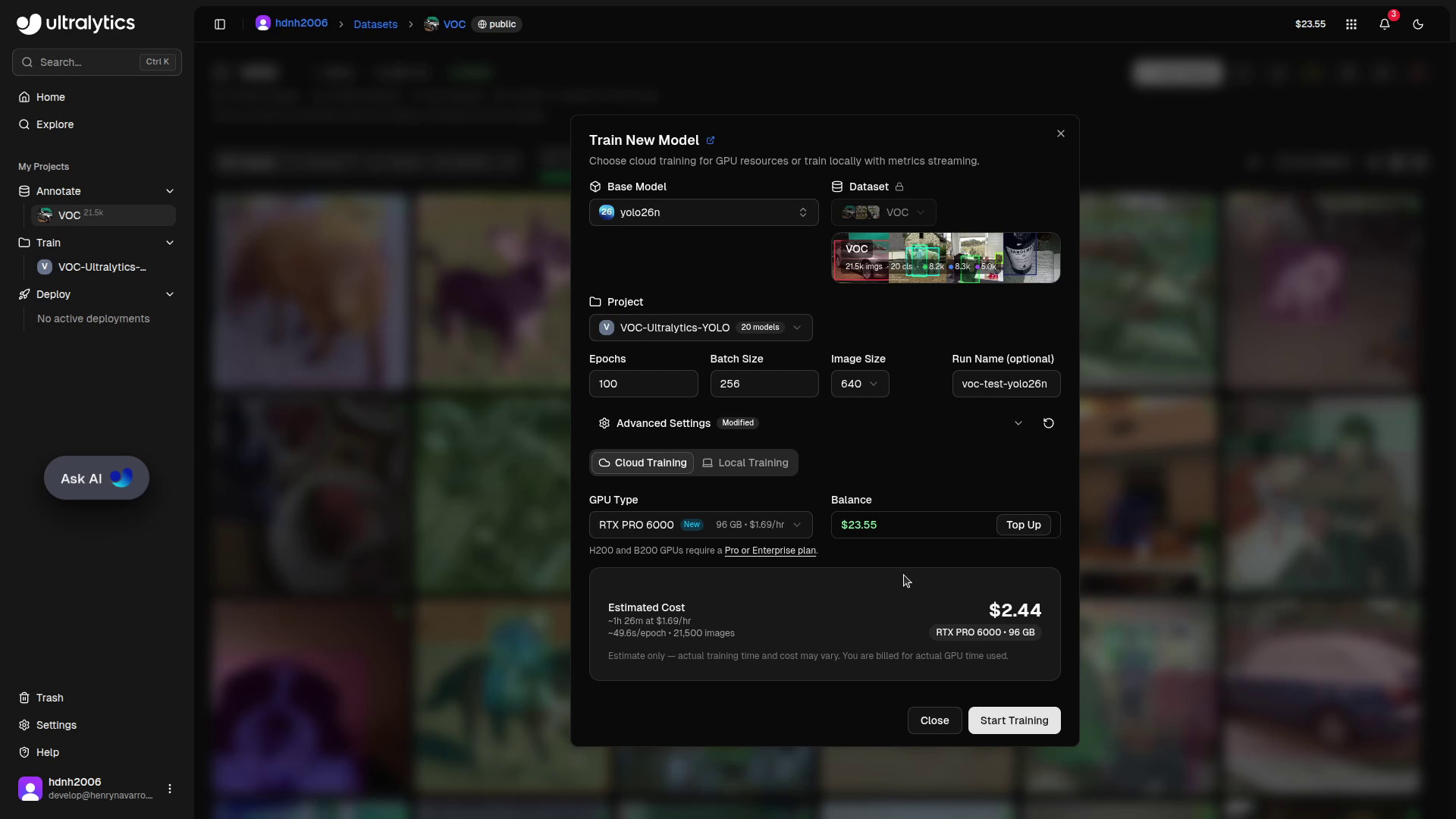
You can then set the number of epochs, batch size, and other hyperparameters. My strong recommendation: leave the default parameters as they are unless you are very experienced with hyperparameter tuning. Ultralytics has put a lot of work into making the defaults solid.
Cloud GPU or Your Own Hardware?
The platform offers several cloud GPU options, from affordable options up to the RTX 4090 and the RTX Pro 6000 (the recommended option). Prices are transparent and shown before you start, so there are no surprises.
But here is something many people overlook: you do not have to use the platform’s cloud GPUs. If you prefer to train on your own hardware, you can do it, and still track everything in the platform using your Ultralytics API key. I personally trained YOLO 26 models on my own RTX 4060 GPUs this way. The training runs locally, but all metrics, logs and artifacts are synced to the platform automatically. No need for an external experiment tracker like Weights & Biases or ClearML.
Training Cost
For this run, YOLO 26 Nano, 100 epochs, PASCAL VOC dataset. The total cost was:
💰 $1.31 incredibly affordable for a complete training run
Remember: use my referral link for $5 free, or $25 free with a company email.
Once training finishes, all metrics are available in the platform: mAP, precision, recall, training logs, and system stats (GPU memory, CPU usage, RAM), the same information you would find in specialized experiment tracking tools, but integrated in the same platform where you annotated and trained.
Step 3: Deploying the Model 🌐
Now for the final step. The platform supports standard export formats, TensorRT for Jetson devices, TensorFlow Lite for mobile, and others, but it also supports direct cloud deployment.
There are multiple deployment regions available worldwide. Since I am in Spain, the platform automatically recommended Madrid as the lowest-latency region. Select your region and click Deploy. A few minutes later, your model is live.
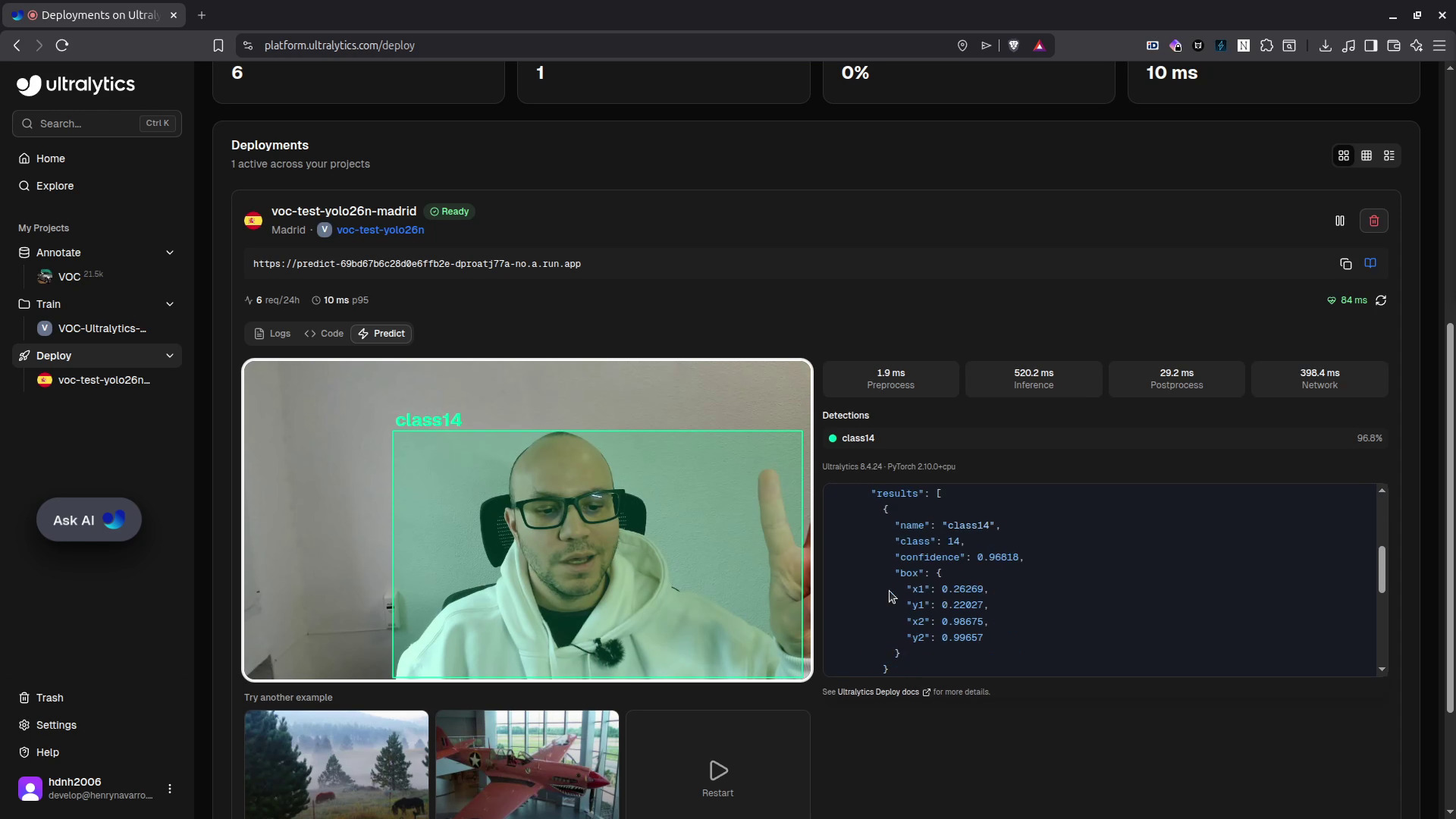
You can test the model directly in the browser using your webcam or a static image. But the real power is the REST API: the platform provides an endpoint and your API key so you can query the model from anywhere.
import requests

# Deployment URL and API key
url = "https://predict-69bd67b6c28d0e6ffb2e-dproatj77a-no.a.run.app/predict"
api_key = "YOUR_API_KEY"

# Optional inference parameters
args = {"conf": 0.25, "iou": 0.7, "imgsz": 640}

with open("image.jpg", "rb") as f:
    response = requests.post(
        url,
        headers={"Authorization": f"Bearer {api_key}"},
        data=args,
        files={"file": f},
    )

print(response.json())
The response is a JSON with bounding boxes, confidence scores, class names, and metadata. Everything you need to integrate the model into your own application or replicate the inference on your own servers.
⚠️ Keep in mind this is a YOLO 26 Nano model, the smallest variant. For production use cases, consider YOLO 26S, M, L or X for higher accuracy.
YOLO 26 Is State-of-the-Art 🏆
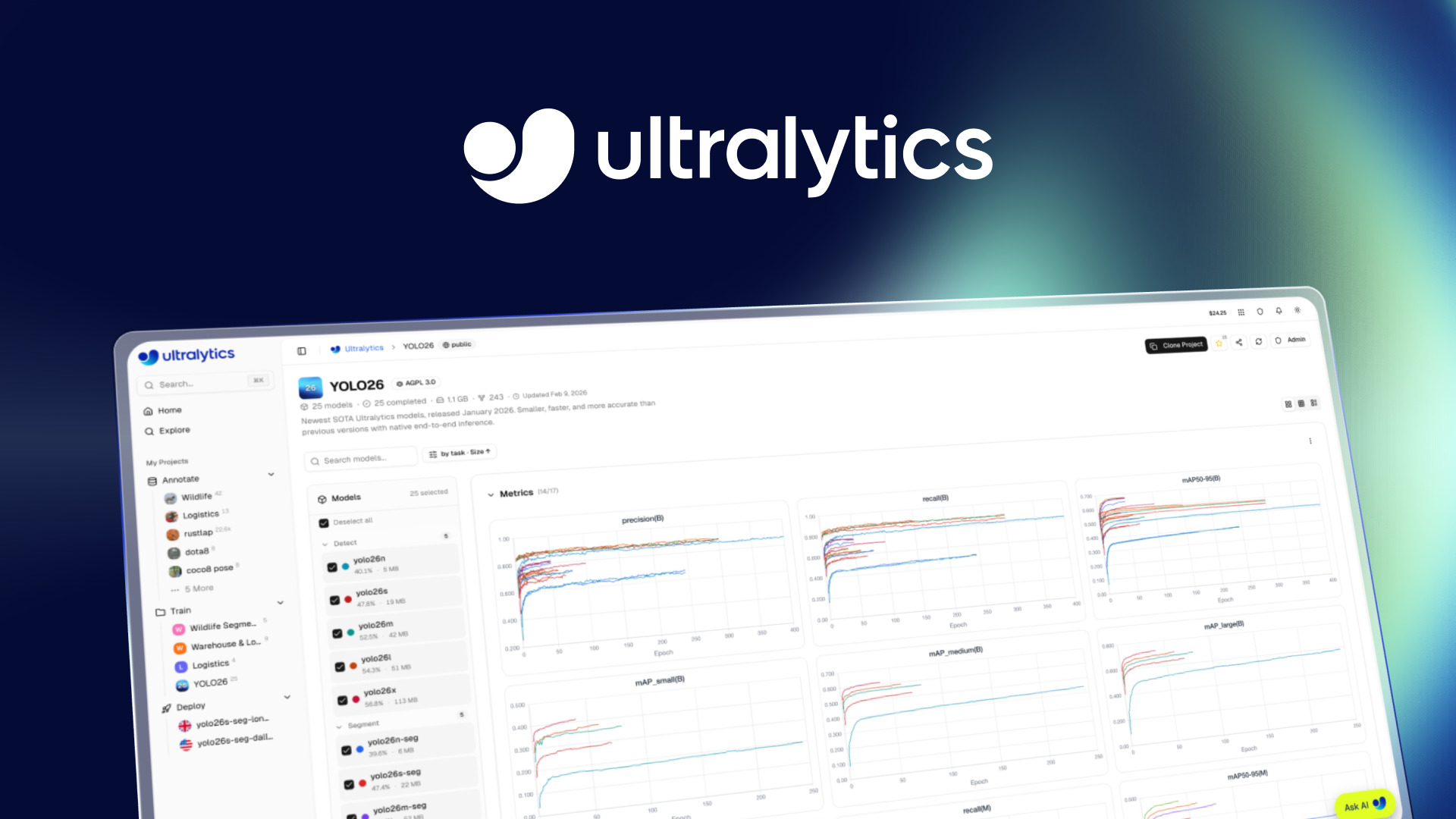
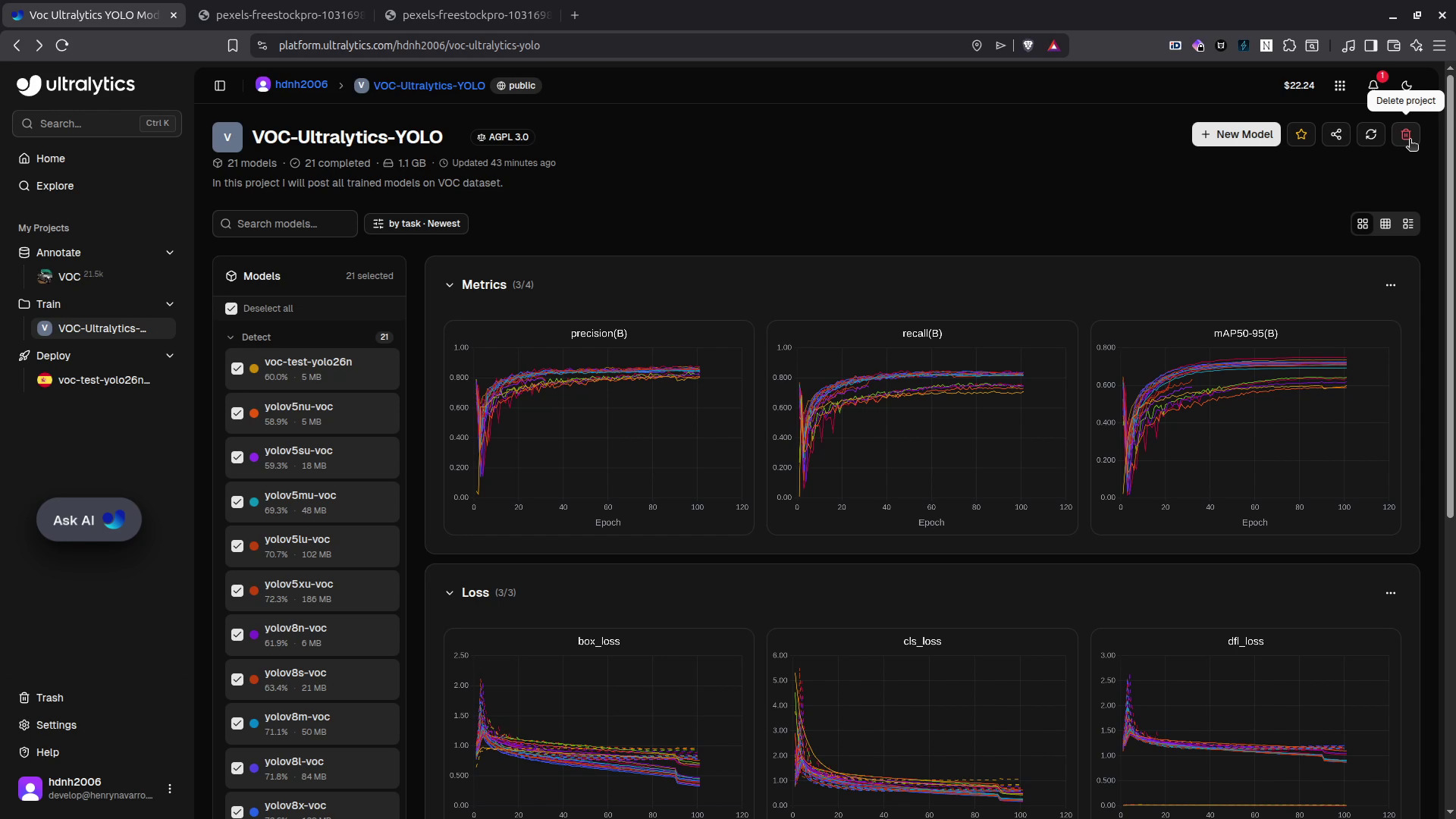
I have trained all Ultralytics YOLO versions (from YOLO v5 to YOLO 26) using this platform, some of them on the platform’s cloud GPUs and others on my own RTX 4060. After all these experiments I can confirm: YOLO 26 is the current state-of-the-art for object detection.
The benchmark chart below shows it clearly: YOLO 26X (the largest variant, red line) leads across the board. All the models I trained are publicly available (links are in the description of the video) so you can download the weights, fine-tune them on your own data, or use them as a starting point, all for free.
When Should You Use the Ultralytics Platform? 💡
The Ultralytics Python package is not going anywhere, it will keep working exactly as it always has for local development and scripting. The platform is not a replacement; it is a complement.
Consider it when you need:
- Team collaboration multiple people working on the same dataset or model
- No infrastructure setup skip the environment configuration entirely
- Experiment tracking without extra tools no need to set up W&B or MLflow
- Managed deployment get a production API endpoint without managing servers
- Scalability handle larger datasets and longer training runs without managing your own GPU cluster
If any of those apply to your workflow, the platform is absolutely worth considering.
From DIY to Production-Grade Computer Vision 🚀
Getting started with the Ultralytics Platform is easy. Scaling it to production, with optimized inference pipelines, edge deployment, data pipelines, and integration into existing software is where specialized expertise matters.
Professional Computer Vision Services 💼
At NeuralNet Solutions, we help companies deploy computer vision at scale:
-
✅ Custom model training and fine-tuning
-
✅ Edge deployment (Jetson, mobile, embedded devices)
-
✅ Cloud deployment and REST API integration
-
✅ Dataset preparation and annotation pipelines
-
✅ Model optimization (quantization, TensorRT, TFLite)
-
✅ Monitoring and performance benchmarking
-
👉 Schedule a free 30-minute consultation: https://cal.com/henry-neuralnet/30min
-
🌐 Website: https://neuralnet.solutions
-
💼 LinkedIn: https://www.linkedin.com/in/henrymlearning/
The companies implementing robust computer vision systems today will lead their industries tomorrow.
Conclusion ✨
The Ultralytics Platform genuinely delivers on its promise: you can go from a raw dataset to a live API endpoint for a YOLO 26 model without writing a single line of code, and for a cost as low as $1.31.
The annotation tools (including SAM-powered smart annotation), the training flexibility (cloud or local GPUs with unified tracking), and the multi-region deployment make it a compelling option for anyone working in computer vision, from individual developers to teams.
Try it yourself with my referral link and get $5 free (or $25 with a company email, no credit card needed).
Thank you to Ultralytics for partnering on this article. I genuinely enjoyed building this demo.
Watch the full video tutorial on my channel: @hdnh2006 and subscribe if you want more content on AI, computer vision and GPU computing.
See you in the next one! 👋
Social Media 🤳
- 📺 YouTube: https://www.youtube.com/@hdnh2006
- 💼 LinkedIn: https://www.linkedin.com/in/henrymlearning/
- 🤗 HuggingFace: https://huggingface.co/hdnh2006
- 📧 Contact: public.contact.rerun407@simplelogin.com
#UltralyticsYOLO #YOLO26 #ComputerVision #ObjectDetection #Ultralytics #NoCode #MLOps #ModelDeployment #DataAnnotation #SAM #SegmentAnything #PASCALVOC #DeepLearning #ArtificialIntelligence #MachineLearning #GPUComputing #ModelTraining #OpenSourceAI #NeuralNetSolutions #YOLOTraining #YOLODeploy #MLPlatform #AIEngineering