Mobile phone, NVIDIA Jetson & CPU: A Comprehensive Deployment Tutorial

Written by Henry Navarro
Introduction 🎯
YOLO26 on edge represents a major leap forward in bringing advanced AI inference to local devices. In this comprehensive guide, we’ll demonstrate how to deploy Ultralytics YOLO26 models on three distinct platforms: mobile phones, NVIDIA Jetson devices, and Intel CPUs. As engineers with over 12 years of experience in artificial intelligence and computer vision, we’ve created this tutorial to help you understand the practical implementation of edge AI deployment.
At NeuralNet Solutions, we specialize in deploying YOLO26 on edge across various hardware platforms. In this article, we explain the deployment process, optimization techniques, and performance benchmarks for each device type.
Why Deploy on Edge? 🏠
YOLO26 on edge offers several critical advantages over cloud-based AI. Privacy is paramount as sensitive data never leaves the device. Low latency enables real-time inference without network delays. Cost-effectiveness eliminates recurring cloud computing expenses. Reliability ensures functionality offline, perfect for remote locations. Scalability allows deploying thousands of devices independently.
Common enterprise use cases include mobile applications with object detection, NVIDIA Jetson devices for industrial automation, Intel CPUs for cost-sensitive deployments, and edge accelerators for IoT devices.
](https://neuralnet.solutions/wp-content/uploads/2026/02/YOLO26-on-Edge-Deployment.jpg)
Getting Started with YOLO26 🛠️
To work with YOLO26 on edge, we recommend using a Python virtual environment and installing the latest Ultralytics package. The official Ultralytics documentation provides complete guidance for installation, training, inference, and deployment.
pip install --upgrade ultralyticsThe official Ultralytics documentation provides comprehensive guides for every platform, including mobile, NVIDIA Jetson, and Intel CPU deployment.
Mobile Deployment with TensorFlow Lite 📱
YOLO26 on edge can run on mobile devices using Google’s TensorFlow Lite framework. This allows inference on Android and iOS devices with GPU acceleration.
Building the Mobile Application
We’ve created a Docker-based solution to simplify the build process. The complete repository is available at https://github.com/NeuralNet-Hub/yolo-flutter-app.
Build the Docker container:
git clone https://github.com/NeuralNet-Hub/yolo-flutter-app.git

cd yolo-flutter-app

docker build -t yolo-flutter-app-flutter-builder .

docker run -it -v $(pwd):/app/ yolo-flutter-app-flutter-builder:latest /bin/bash
Create the APK:
cd example
flutter build apk --release
Once built, transfer the APK to your mobile phone and install it. The application will automatically download the YOLO26 model and start inference.
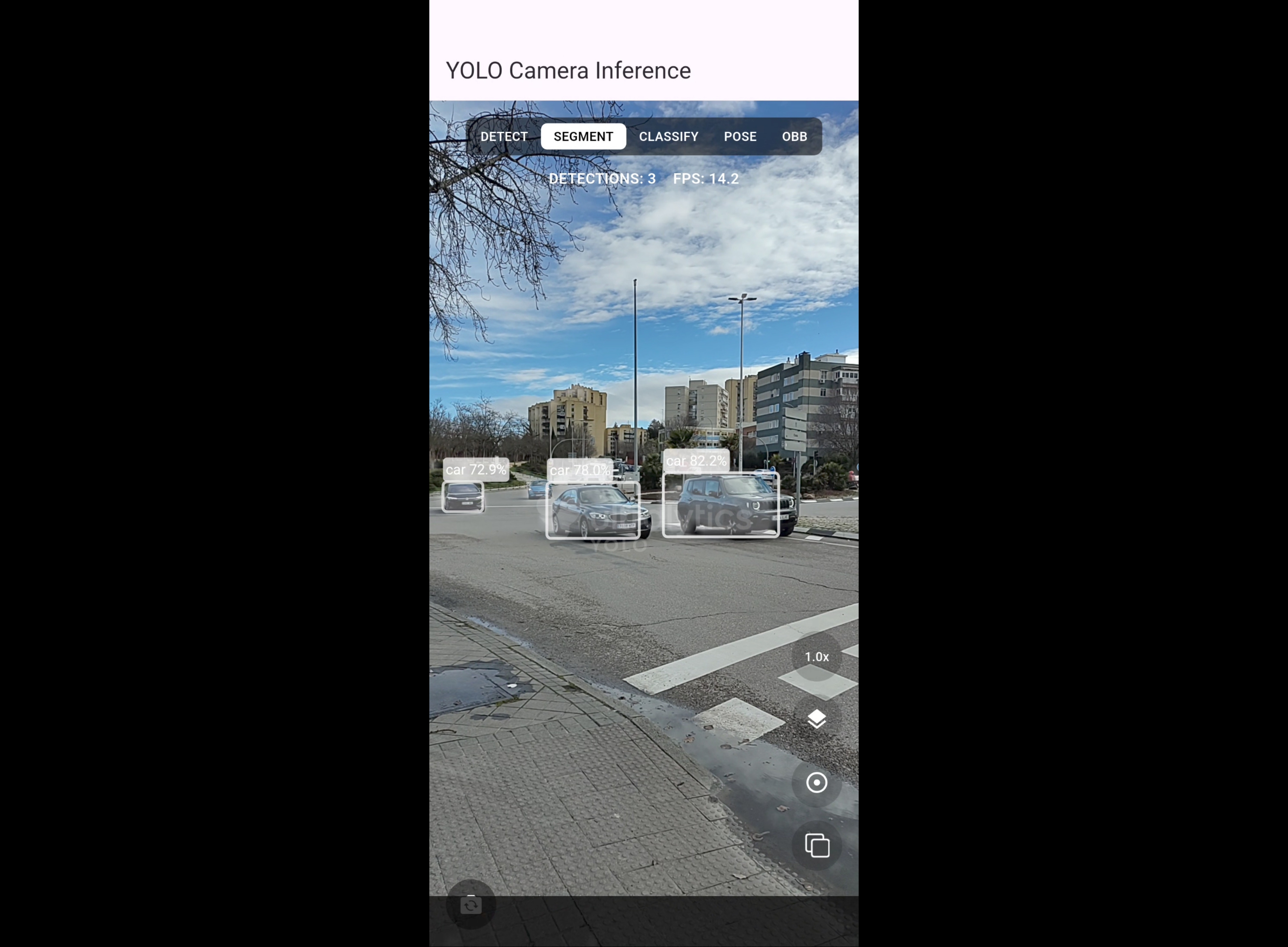
Features and Performance
The mobile application supports:
- ✅ Object detection with bounding boxes
- ✅ Instance segmentation (pixel-level precision)
- ✅ Pose estimation (human keypoints)
- ✅ Automatic model download
- ✅ Camera integration
- ✅ Real-time inference on mobile GPU
The TensorFlow Lite framework leverages the mobile device’s GPU for accelerated inference, enabling smooth real-time performance even on mobile hardware.
NVIDIA Jetson Deployment with TensorRT ⚡
YOLO26 on Jetson devices offers exceptional performance for edge AI applications. NVIDIA Jetson devices are powerful embedded computers with integrated GPUs, making them ideal for computer vision workloads.
TensorRT is NVIDIA’s software development kit designed for high-speed deep learning inference. It optimizes deep learning models for NVIDIA GPUs through techniques like layer fusion, precision calibration (INT8 and FP16), dynamic tensor memory management, and automatic kernel tuning. By converting YOLO26 models to TensorRT format, you can significantly enhance inference speed and efficiency on NVIDIA hardware. Learn more about TensorRT and NVIDIA embedded systems.
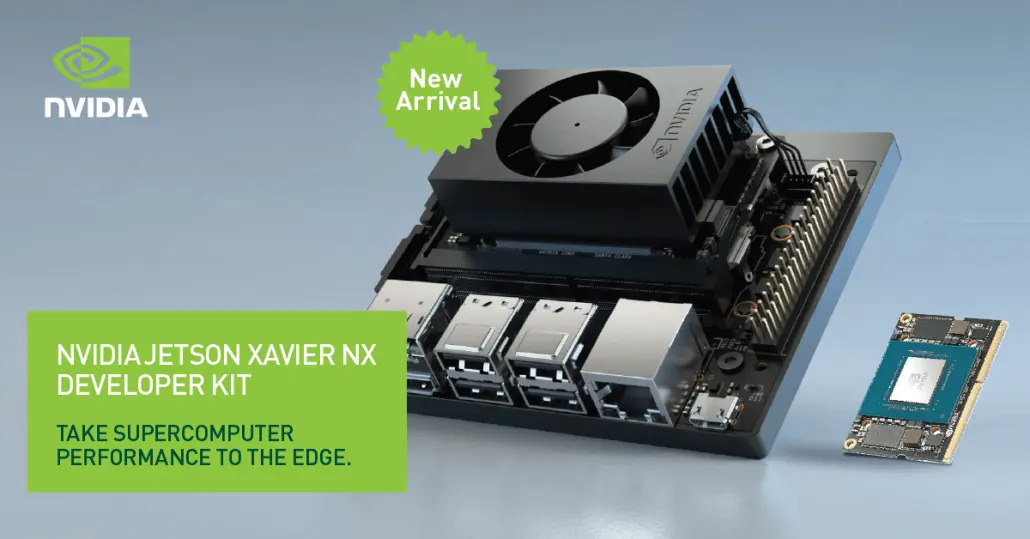
Hardware Overview
We tested on an NVIDIA Jetson Xavier, which we consider an older but capable device. Think of it as a Raspberry Pi with a powerful GPU. While not state-of-the-art, it demonstrates that YOLO26 on edge can run on modest hardware.
Docker Setup
Connect through SSH to your Jetson device:
ssh <your-username>@<your-jetson-ip-address>Pull the Docker container:
docker pull ultralytics/ultralytics:latest-jetson-jetpack5
docker run -it --network=host --ipc=host --runtime=nvidia -v "$(pwd):/workspace" ultralytics/ultralytics:latest-jetson-jetpack5 /bin/bash
cd /workspace
Exporting Models for TensorRT
Export YOLO26s for TensorRT:
yolo export format=engine imgsz=384,640 half=True simplify=True device=0 batch=1 model=yolo26s.ptExport YOLO26x for TensorRT:
yolo export format=engine imgsz=384,640 half=True simplify=True device=0 batch=1 model=yolo26x.ptPerformance Comparisons
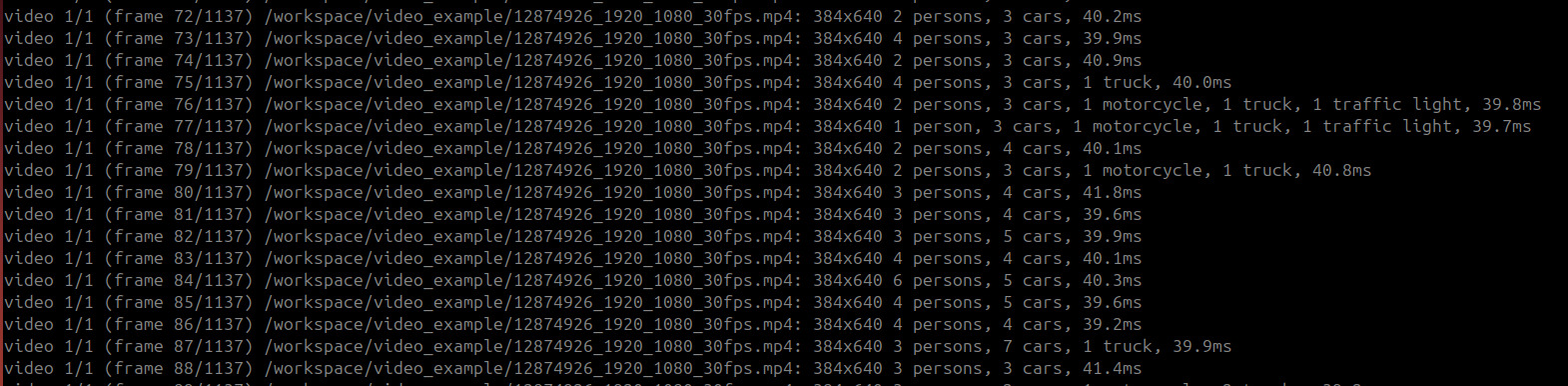
We tested YOLO26 on Jetson with and without TensorRT optimization.
YOLO26s Performance:
- Without optimization: ~50ms per frame (25 FPS)
- With TensorRT optimization: ~14ms per frame (52 FPS)
- Improvement: 2.08x faster
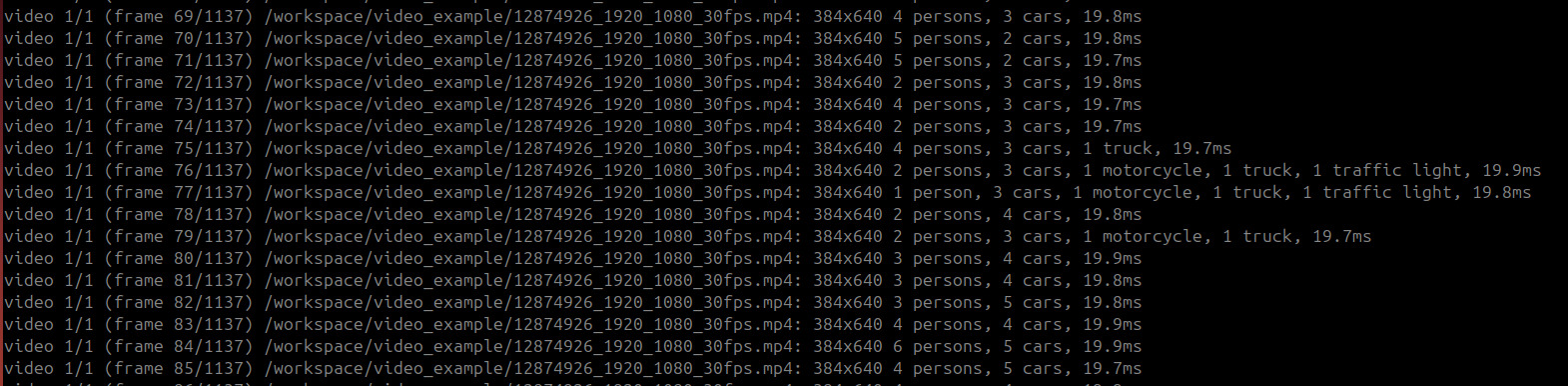
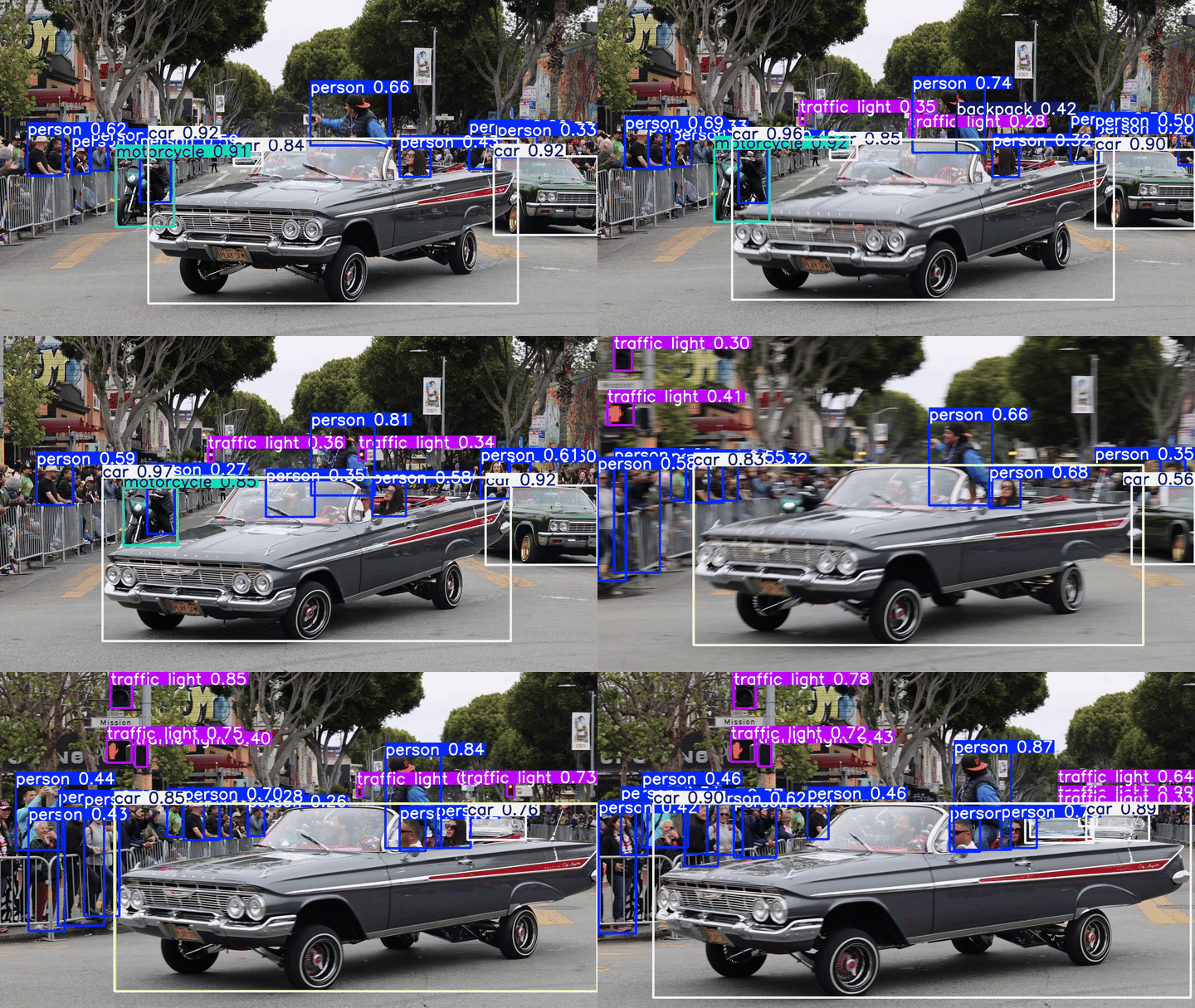
Key considerations:
- Use
batch size 1for single-source inference - Adjust image size based on your requirements
- TensorRT optimization requires NVIDIA GPU
- Jetpack version selection depends on your Jetson device
Running Predictions
With optimization:
yolo predict detect device=0 source=video_example/ model=yolo26s_1x384x640_half.engine half=True imgsz=384,640Without optimization:
yolo predict detect device=0 source=video_example/ model=yolo26s.ptIntel CPU Deployment with OpenVINO 🖥️
YOLO26 on Intel CPU demonstrates how to deploy models on standard servers without NVIDIA GPUs. Intel’s OpenVINO toolkit provides excellent optimization for Intel processors.
Cloud Server Setup
We tested on a Hetzner cloud server (€3/month) with:
- Intel Xeon processor
- 2 cores
- 4GB RAM
Connect to server:
ssh root@<your-server-ip-address>Pull the Docker container:
docker pull ultralytics/ultralytics:latest-cpu
docker run -it --network=host --ipc=host -v "$(pwd):/workspace" ultralytics/ultralytics:latest-cpu /bin/bash
cd /workspace
Exporting Models for OpenVINO
Export YOLO26s for OpenVINO:
yolo export format=openvino imgsz=384,640 half=True simplify=True batch=1 model=yolo26s.pt](https://neuralnet.solutions/wp-content/uploads/2026/02/YOLO26-Intel-Openvino.jpg)
Performance Comparisons
YOLO26s Performance (2 CPU cores, 4GB RAM):
- Without optimization: ~350ms per frame (2.8 FPS)
- With OpenVINO: ~150ms per frame (6.7 FPS)
- Improvement: 2.3x faster
YOLO26x Performance:
- Without optimization: ~350ms per frame (2.8 FPS)
- With OpenVINO: ~150ms per frame (6.7 FPS)
- Improvement: 2.3x faster
Advanced Optimization: INT8 Quantization
For further performance improvements, Intel OpenVINO supports INT8 quantization, which reduces model size and improves inference speed at the cost of minimal accuracy degradation.
Run benchmarks:
yolo benchmark model=yolo26s.pt data='coco128.yaml' imgsz=640

yolo benchmark model=yolo26s.pt data='coco128.yaml' imgsz=640 format=openvino half=True

yolo benchmark model=yolo26s.pt data='coco128.yaml' imgsz=640 format=openvino int8=True
Best Practices for YOLO26 on Edge 🔧
Comparison Methodology
When comparing performance, it’s essential to use the same image size and source for fair comparisons. Unfortunately, YOLO26 on edge cannot run without optimization on non-square images, so we standardized on 640×640 pixel images.
Docker Benefits
We highly recommend using Docker for YOLO26 on edge deployment because it provides an isolated environment with all dependencies, eliminates complex installations, and ensures consistent performance. Ultralytics provides pre-built Docker containers for every platform:
- Mobile: TensorFlow Lite
- NVIDIA Jetson: Jetpack 4, 5, 6
- Intel CPU: OpenVINO
Conclusion 🎯
YOLO26 on edge marks a significant milestone in accessible, production-ready computer vision. By consolidating object detection, instance segmentation, pose estimation, and other vision tasks into a single framework, YOLO26 eliminates the complexity of managing multiple tools and models. If you’re running inference on a mobile device, an NVIDIA Jetson, or an Intel CPU, YOLO26 delivers state-of-the-art performance with remarkable flexibility.
The deployment strategies we’ve demonstrated show that YOLO26 on edge can run on devices ranging from smartphones to embedded computers, with performance improvements ranging from 2x to 9x depending on the hardware and optimization technique used. For researchers and hobbyists, YOLO26 provides an easy entry point with simple CLI commands and intuitive Python APIs. For enterprises, it represents a strategic advantage the ability to deploy advanced AI vision systems faster, more reliably, and at scale.
However, moving from experimentation to production requires more than just a powerful model. It demands careful dataset preparation, domain-specific fine-tuning, optimization for your target hardware, and robust deployment infrastructure. That’s where expert guidance becomes invaluable.
From Prototype to Production 🚀
YOLO26 is easy to experiment with, production deployment requires expertise:
- Custom YOLO26 model training
- Dataset preparation and labeling
- Performance optimization (latency, memory, throughput)
- Deployment on edge, cloud, or hybrid infrastructures
- Monitoring, updates, and lifecycle management
This is where we come in.
Professional Computer Vision for Enterprise 💼
At NeuralNet Solutions, we specialize in enterprise-grade YOLO26 on edge solutions:
✅ Custom YOLO26 model training
✅ Advanced segmentation and pose pipelines
✅ Edge deployment (NVIDIA Jetson, embedded devices, mobile)
✅ Cloud and on-premise scaling
✅ TensorRT and OpenVINO optimization
✅ End-to-end production systems
You can build a proof of concept or scale to millions of inferences per day, we help you deploy YOLO26 correctly and efficiently.
If you want to train, deploy, or scale YOLO26 on dge for your business, let’s talk.
👉 Schedule a free 30-minute consultation
https://cal.com/henry-neuralnet/30min
🌐 Website: https://neuralnet.solutions
💼 LinkedIn: https://www.linkedin.com/in/henrymlearning/
The companies adopting advanced computer vision today will lead their industries tomorrow.
#YOLO26onEdge #EdgeAI #ComputerVision #YOLO26 #NVIDIAJetson #IntelOpenVINO #TensorRT #NeuralNetSolutions